![CoudDepot_LOGO_RGB.png]](https://kb.clouddepot.com/hs-fs/hubfs/CoudDepot_LOGO_RGB.png?height=40&name=CoudDepot_LOGO_RGB.png)
How to copying a token between customers
Please note that copying a payment token to another customer means both customer records will share the same token. For example, if the token is linked to a credit card, both customers will use that same credit card.
In our example we have two companies:
Book Worm Company
Book Worm New Company

Book Worm Company has a payment method on file, and we want to copy it to Book Worm New Company.
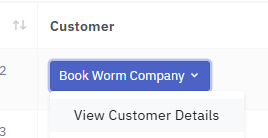
Step 1. Click the company you want to copy the token from, then select View Customer Details. In this example, the source company is Book Worm Company.
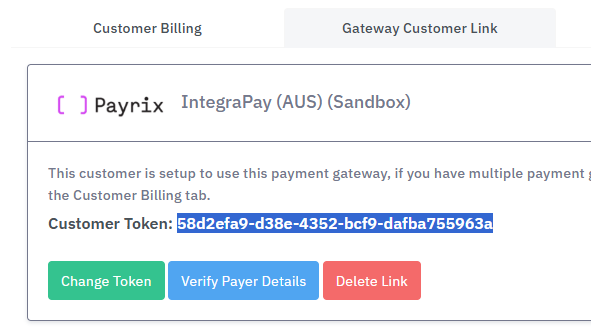
Step 2. Navigate to the Gateway Customer Link tab and copy the Customer Token to notepad (your token might look a little different that is ok).
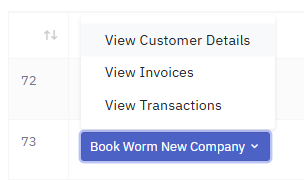
Step 3. After copying the token to your clipboard or notepad, navigate to the company you want to copy the token to. In this example, that company is Book Worm New Company.
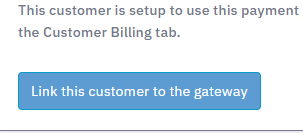
Step 4. Now navigate to the Gateway Customer Link tab then select Link this customer to the gateway button
Step 5. Paste into the text box Gateway customer token then select Link Token

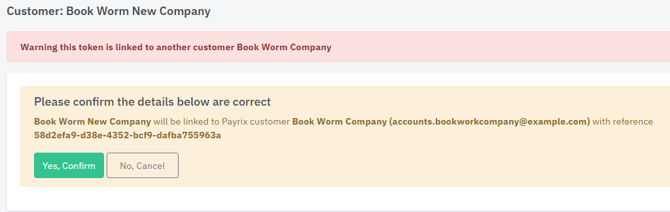
Step 6. You may see a warning that the token is already linked to another customer. This is expected. Verify the details are correct, then Yes, Confirm button.
Done.
The payment method will now be updated.
Note: If you are merging a customer by deleting the old record and replacing it with a new one, turn off Auto Payments for the old customer and turn on Auto Payments for the new customer.